
TizzChat: Craft Your World
NATUREAI TECHNOLOGY PTE. LTD.Entertainment
2.840.00 Reviews
- Version
- 1.1.4
- Installs
- 50.00K
- Age Rating
- Mature 17+
Screenshots
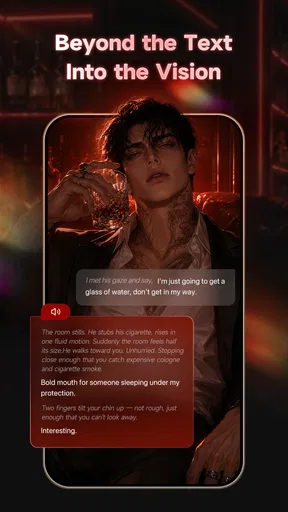
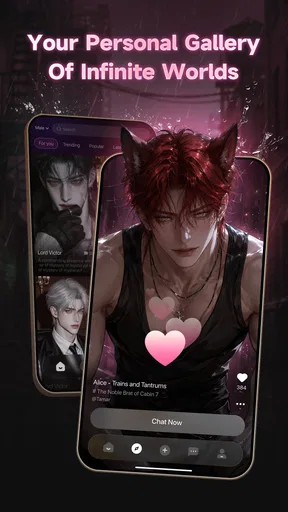
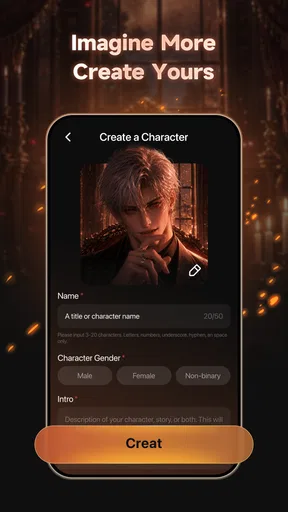
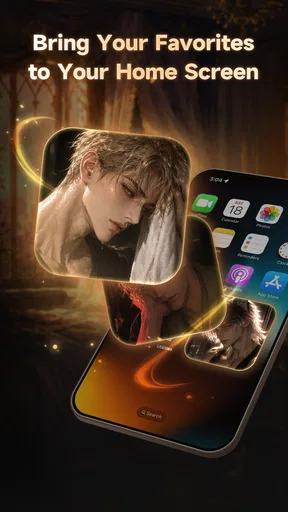
Our Review of TizzChat: Craft Your World
 Analysis by Appyee
I approached TizzChat: Craft Your World as an entertainment app for people who want more than a quick feed to scroll through. Its central promise is a mix of chatting, story creation, and exploration of immersive worlds, which makes it feel closer to a creative social space than to a standard messaging tool. My overall impression is mixed: the concept is appealing, especially if you enjoy imaginative conversations, but the experience needs patience and does not feel equally comfortable for every user.
The app comes from NATUREAI TECHNOLOGY PTE. LTD. and is available free of charge, although optional purchases range from $1.49 to $299.00 per item. That difference matters because the free entry point makes it easy to try, while the broad purchase range means I would treat spending carefully until I understood exactly which parts of the experience I would use regularly. It is rated for mature audiences aged 17 and over, so I would not recommend treating it as a general-purpose app for younger family members.
How clearly the experience supports different ways of using it
I look at this section through the practical question of whether one creative chat space can feel welcoming to people with different habits and abilities. I’ll focus on how choosing a single activity at a time can reduce the effort of learning a layered experience, while also noting when a familiar, single-purpose tool may be the more comfortable choice.
Readability and navigation in a creative chat environment
The most important accessibility question here is not simply whether the app opens and runs. It is whether a person can understand what to do next when the product combines several activities. Chatting, building stories, and exploring worlds can each create a different mental model. A messaging app usually tells me where conversations are. A writing tool usually keeps my attention on a draft. An immersive entertainment app may ask me to move between those ideas, and that can increase the effort required to stay oriented.
For me, the best way to approach TizzChat is to begin with one purpose rather than trying to understand everything at once. I would start by using the chat side, then test story creation separately, and only afterward spend time exploring the world-building elements. This staged approach is useful for anyone who finds busy interfaces tiring, including people with attention difficulties or users who simply prefer predictable routines.
The app’s name and store description make its creative direction clear, but a clear concept is not the same as effortless navigation. When an app offers several forms of interaction, I pay attention to whether labels feel obvious, whether returning to a previous activity is easy, and whether I can tell what will happen before tapping. Those details strongly affect people with cognitive or language-related disabilities. A person who needs extra time to interpret unfamiliar controls may find a highly imaginative interface less comfortable than a conventional chat service.
I would also avoid judging the experience during a rushed first session. Someone using the app between appointments, on a crowded commute, or while tired may have less capacity to learn a new structure. A calmer first session gives the user a better chance to decide whether the navigation feels natural. That is a practical recommendation rather than a promise that the layout will suit everyone.
One useful workflow is to keep the first creative task deliberately small. Instead of attempting a long story or trying to explore every available area, I would create a short scene with a clear beginning and end. This makes it easier to notice whether the writing process feels manageable, whether chat interruptions break concentration, and whether the app supports the way I naturally organize ideas. It also reduces frustration for users who work best in short, repeatable steps.
Motor and sensory considerations before longer sessions
Apps built around conversation and creation can place different demands on the body. Typing may be the main challenge for someone with limited hand movement, tremors, joint pain, or fatigue. Exploring immersive content may be more demanding for someone who is sensitive to motion, visual density, rapid changes, or prolonged screen use. I would therefore think about TizzChat as an app to test in short sessions rather than assuming that an entertaining concept will automatically be comfortable.
A person with motor limitations may prefer preparing ideas before opening the app. Writing a few prompts or story notes in a familiar tool can reduce the amount of time spent composing on a mobile keyboard. It also gives the user a simple fallback: if creating directly becomes tiring, they can focus on reading, planning, or shorter exchanges instead of abandoning the app completely.
For users with visual needs, readability involves more than font size. Contrast, spacing, text density, and the distinction between interactive elements all affect whether a conversation is easy to follow. I would recommend checking the app alongside the phone’s own display settings and seeing whether enlarged text or stronger contrast makes the experience more comfortable. If those changes cause controls to become crowded or difficult to reach, that is an important sign that the app may not be the right daily tool.
People who are sensitive to motion or visual stimulation should introduce the immersive side gradually. I would use the app while seated, keep the first session brief, and stop if the experience causes discomfort. That advice is especially relevant when an app encourages exploration rather than a single fixed task. The ability to enjoy the chat and story elements may be more valuable than forcing myself through every visual component.
Sound can also change how usable an entertainment app feels, even when the main activity is text-based. Some people need quiet, some rely on captions or visual cues, and others find unexpected audio distracting. I would test TizzChat in a controlled setting before using it in public or while multitasking. If I needed the app to work silently, I would verify that the important parts of the experience remain understandable without depending on audio.
Situational access: where the app fits into everyday life
TizzChat makes the most sense when I have a little uninterrupted time and want to participate rather than passively watch. A realistic example would be an evening when I have finished work but do not want to commit to a full game or television episode. I could open the app to exchange a few messages, develop a small story idea, and explore for a while. That flexible session length is one of the concept’s strongest qualities because it can fill a short creative break without requiring a large setup.
It is less suitable when I need a dependable tool for urgent communication. A conventional messenger is better for sending a quick location, coordinating a pickup, or keeping a conversation easy to search and follow. TizzChat’s entertainment focus may encourage a more expressive interaction, but that is not the same as being optimized for practical messaging. I would keep it separate from the apps I rely on for time-sensitive information.
The same distinction applies to writing. If I wanted a private place to draft a serious document, organize research, or maintain a long manuscript, I would choose a dedicated writing app. TizzChat is more appealing when the writing itself is part of an imaginative social experience. That makes it a potentially enjoyable creative outlet, but not a replacement for tools designed around revision history, structured notes, or professional editing.
For people who have limited energy, the free starting point is helpful because trying the app does not require an upfront purchase. Still, I would set a personal spending boundary before exploring optional items. The purchase range reaches from $1.49 to $299.00 per item, so the app should be approached with the same caution I would use for any entertainment product offering optional digital purchases. A user who finds pricing decisions stressful may prefer to avoid buying anything until they have a clear reason and a fixed limit.
The mature age rating also affects where and with whom I would use it. I would not put it on a shared family device for children without first considering the age classification and the kind of conversations or stories that may arise in a platform designed around immersive social creativity. Adults who want a relaxed creative space may find the rating appropriate, while anyone seeking a child-friendly storytelling app should look elsewhere.
What works for different abilities, and where the friction remains
The idea of combining chat and world creation can support different strengths. A user who finds open-ended conversation difficult may enjoy having a fictional setting to give the interaction direction. Someone who thinks visually may prefer exploring a world to writing a plain message. Another person may use the chat element as a low-pressure way to develop characters and scenes. In that sense, the app can offer more than one route into creative expression.
That flexibility also creates a trade-off. More routes can mean more choices, and more choices can become tiring for users who need a simple, stable sequence. I would not describe TizzChat as an ideal choice for someone who wants a minimal interface with one obvious function. The product’s appeal depends partly on its variety, so users who dislike experimentation may experience that variety as clutter rather than freedom.
Another practical barrier is the difference between an app being available on an older device and being comfortable to use on it. TizzChat supports Android devices running version 7.0 or later, which gives it a broad technical starting point. That does not tell me how every phone will handle an entertainment experience involving chat, stories, and immersive worlds. On an older handset, I would begin with short sessions and pay attention to responsiveness, heat, battery use, and whether switching between activities feels smooth enough for me.
The current version is 1.1.4, so I would keep expectations realistic about a product that is still relatively early in its development. I would check whether the latest release behaves consistently on my device before investing heavily in its creative ecosystem. This is not a criticism of the developer; it is simply good practice when an app’s appeal depends on a combination of interaction types that can feel very different across phones and personal settings.
The public response is another reason I would try before committing. The app has an average rating of 2.8 from around 198 ratings, with about 40 written reviews, and it has passed 50 thousand installs. Those figures suggest that interest exists, but the rating also signals that the experience has not worked smoothly for everyone. I would read recent comments with a specific question in mind: do the complaints concern navigation, performance, purchases, or the creative concept itself? That distinction helps me decide whether a problem is likely to affect my own use.
I would also be careful about privacy in the everyday sense, even without making assumptions about technical policies. Chat and story creation invite personal expression, so I would avoid sharing sensitive real-world details, private contact information, or material I would not want connected to an entertainment profile. This is particularly important for users who may interpret an imaginative environment as more private than it actually feels in practice.
Who should try it, and who should choose an alternative
I can recommend giving TizzChat a trial to adults who enjoy collaborative imagination, character-driven conversation, and experimenting with fictional settings. It may suit someone who becomes bored with ordinary chat but does not want the commitment of a full game. It is also worth considering for a user who likes switching between creating and exploring, provided that the interface does not become overwhelming.
I would steer a user toward a familiar messaging app if their priority is fast, dependable communication. I would choose a dedicated writing platform for private drafting and long-form organization. A conventional game may be better for someone who wants clearly defined objectives, predictable controls, and a more established gameplay loop. TizzChat’s value is in the blend, not in replacing all three alternatives.
For someone with accessibility needs, I would make the decision through a short personal test. Can I read a conversation without strain? Can I reach the controls comfortably? Can I understand where I am after moving between chat, stories, and exploration? Can I enjoy the app without relying on sound, rapid reactions, or long sessions? If the answer is yes, the creative format may be a genuine advantage. If several answers are no, the app is probably asking too much effort for the entertainment it provides.
My inclusive verdict after weighing the experience
The strongest reason to try TizzChat is its unusual combination of social conversation and imaginative creation. I like that it is not limited to one passive entertainment loop, and I can see why an adult user would enjoy turning a casual chat into a story or using a fictional world to make interaction feel more engaging. The free price makes an initial test accessible, while the Android requirement of version 7.0 or later means many older devices can at least attempt to run it.
At the same time, I would not present it as universally accessible or effortless. The mixed average rating, mature classification, optional purchases, and multi-part concept all call for a measured approach. Users who need straightforward navigation, highly predictable communication, or a quiet and minimal writing environment may be happier with a specialized alternative. Those who are sensitive to motion, visual complexity, typing demands, or unclear choices should test one small activity at a time.
My recommendation is therefore conditional but positive: try it if you want an adult-oriented creative chat experience and are comfortable learning a product that blends several forms of entertainment. Start with a short session, keep spending disabled or tightly controlled until the value is clear, and use the app in a setting where you can concentrate. If the combination helps you express ideas more naturally than ordinary chat, it could become a distinctive addition to your entertainment routine. If you mainly need simplicity or reliability, TizzChat: Craft Your World is better viewed as an experiment than as a replacement for the tools you already trust.
Verdict
Strengths of TizzChat: Craft Your World
- Creative world-building tools encourage imaginative storytelling.
- Customizable avatars help users express their personal style.
- Interactive environments make conversations more engaging.
- Suitable for users who enjoy social and creative experiences.
- Frequent creative activities can keep the app entertaining over time.
Limitations of TizzChat: Craft Your World
- Some features may require in-app purchases or premium access.
- Social interactions may require careful privacy and safety settings.
- The interface can feel overwhelming for first-time users.
- Performance may vary on older or less powerful devices.
- Online features depend on a stable internet connection.
Similar Picks in This Category
View All
Google Play Games
Google LLC3.9

Netflix
Netflix, Inc.4.8

YouTube Kids
Google LLC4.2

Disney+
Disney4.4

Prime Video
Amazon Mobile LLC4.7

Steam
Valve Corporation3.2
Frequently Asked Questions
What is TizzChat: Craft Your World?
TizzChat: Craft Your World is a social and creative mobile experience that combines customizable spaces, avatar-style expression, and chat features. After exploring the app, I found that its main appeal is the freedom to create a personal world, decorate it, and interact with other users. It is designed for people who enjoy social discovery and creative customization rather than a traditional story-driven game.
Is TizzChat: Craft Your World free to download and use?
The app can generally be downloaded for free, allowing users to access its core features without paying upfront. However, some customization items, virtual goods, premium options, or additional content may require in-app purchases. Before spending money, users should review the store listing and payment settings carefully. Parents should also check purchase restrictions if children will be using the app.
Does TizzChat: Craft Your World require an internet connection?
Yes, an active internet connection is normally required for the most important parts of TizzChat: Craft Your World. Social communication, account access, online interactions, and content synchronization depend on connecting to the service. Some interface elements may open while offline, but the app is not intended to function as a complete offline experience. A stable Wi-Fi or mobile data connection is recommended.
Is TizzChat: Craft Your World safe for children and teenagers?
Because TizzChat: Craft Your World includes social and communication features, parents should treat it like any online community rather than a completely private game. Users may encounter content or conversations created by other people. I recommend reviewing privacy controls, limiting who can contact the player, avoiding the sharing of personal information, and using reporting or blocking tools. Younger users should play with appropriate parental supervision.
What devices are compatible with TizzChat: Craft Your World?
Compatibility depends on the operating system, device model, and the minimum version listed on the official Google Play Store or Apple App Store page. The app should be installed on a reasonably modern phone or tablet with enough free storage and updated system software. Older devices may experience slower loading, reduced performance, or compatibility problems, so checking the official requirements before downloading is advisable.
